How to connect your wallet to Kuant?
On KUANT, click [Connect Wallet] at the top-right corner to link your wallet. You will then need to deposit funds into your DEX account before you can start trading.
Deposit
-
Make sure your connected network is BSC.
-
Ensure you have sufficient USDT on BSC. USDT contract address:
0x55d398326f99059fF775485246999027B3197955. -
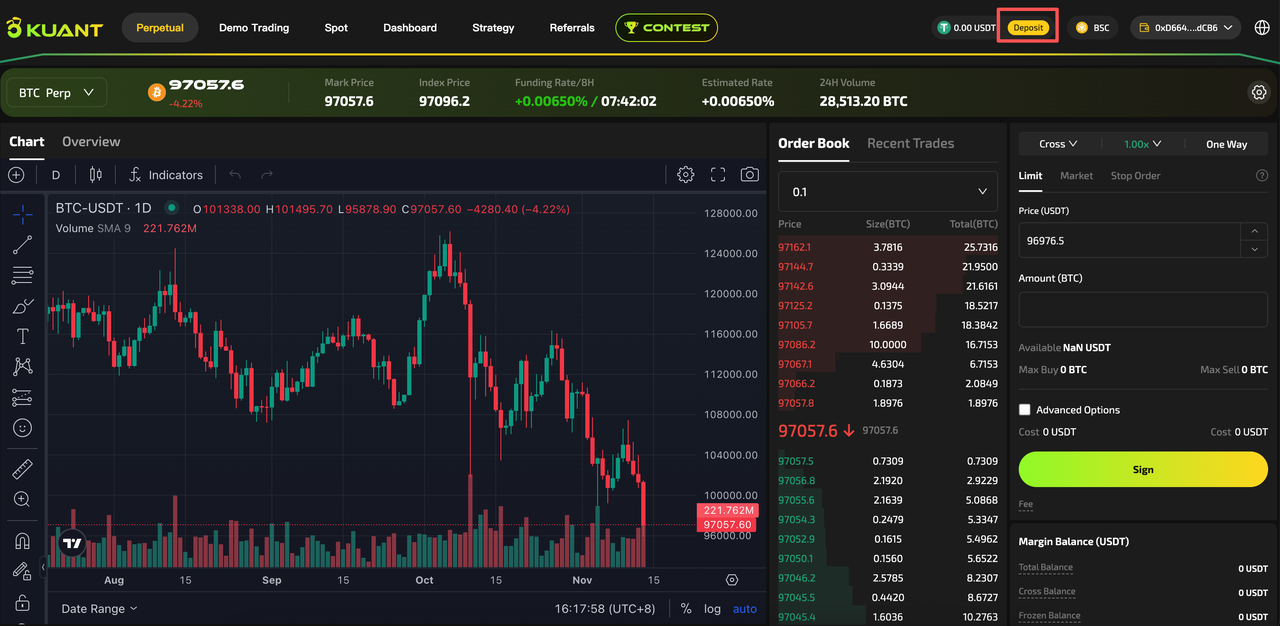
Click [Deposit] and enter the amount you wish to deposit.
-
Approve the transaction in your wallet.
-
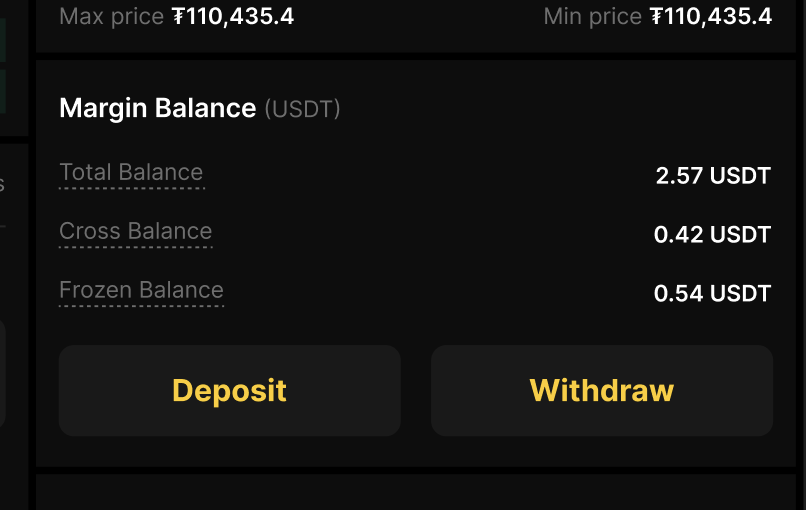
After a few minutes, your balance will appear in Margin Balance.
Withdraw
-
Click [Withdraw] and enter the amount you wish to withdraw.
-
Approve the transaction in your wallet.
-
After a few minutes, your balance will be visible in your wallet.
Access Contract Trading
On the home page, click "Perpetual" to enter the contract trading page.
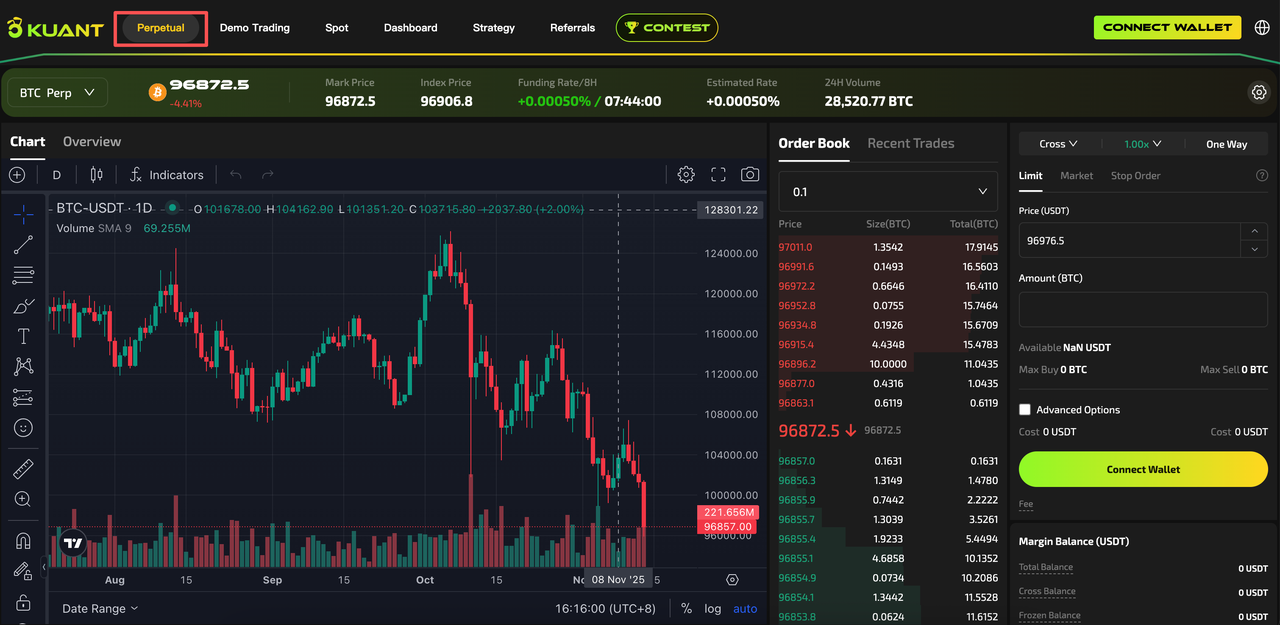
Access the contract trading page and log in to understand the content of each section, primarily including: contract information, order submission, order list, latest trades, position records, depth chart, etc. It is also configured with AI analysis and other auxiliary features.